Free invoice templates for Australian businesses
Professional tax invoice and invoice templates in Word, Excel and PDF — set up for ABN and GST. Download, fill in, send.
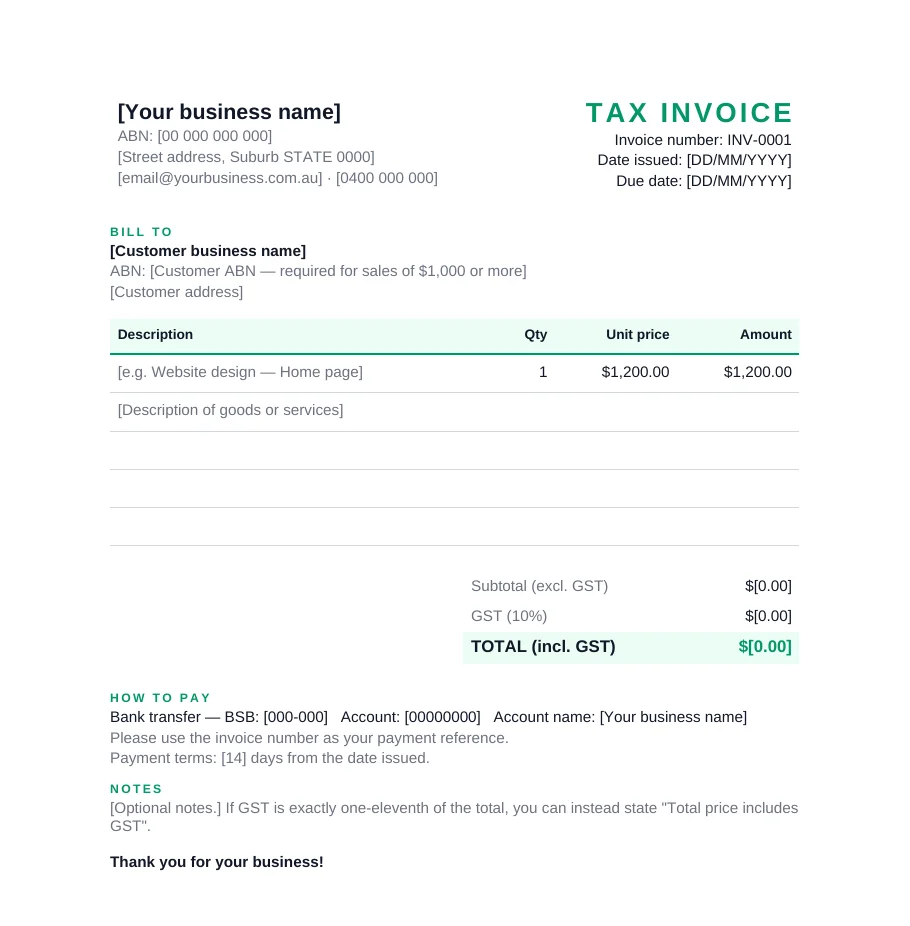
For GST-registered businesses
Tax invoice template
- “Tax invoice” heading, ABN and date fields
- GST line and total incl. GST
- Buyer ABN field for sales of $1,000+
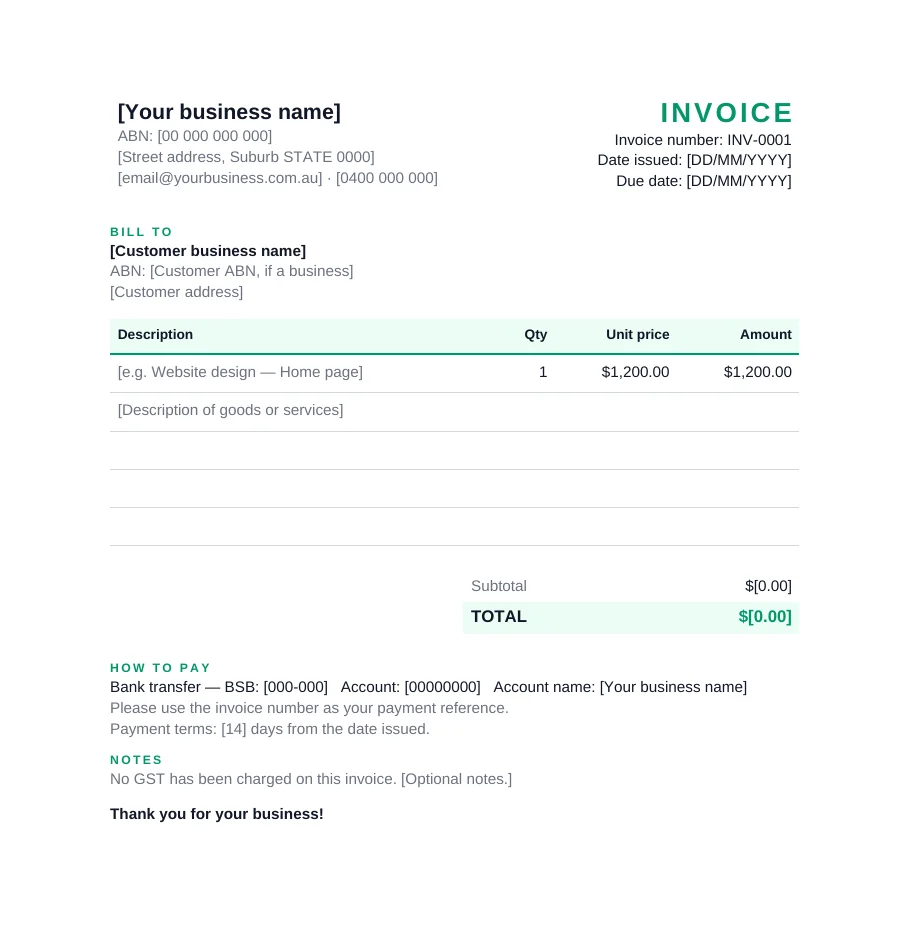
For businesses not registered for GST
Invoice template (no GST)
- “Invoice” heading — never “tax invoice”
- Your ABN, so clients don’t withhold tax
- No GST lines, with a clear note
Which invoice template do I need?
| Your situation | Use this template |
|---|---|
| Registered for GST | Tax invoice template |
| Not registered for GST (e.g. turnover under $75,000) | Invoice template (no GST) |
How to fill in your invoice
- Add your details — business name, ABN and contact details.
- Number it — give every invoice a unique number, like INV-0001, INV-0002.
- Add the dates — the date issued and the due date.
- Add your customer — their name, and their ABN for tax invoices of $1,000 or more.
- List what you sold — a clear description, quantity and price for each line.
- Check the totals — the Excel version calculates GST and totals for you. Need to check a figure? Use the GST calculator.
- Add how to pay — bank details and payment terms, then save as PDF and send.
Using Google Docs or Sheets?
Upload the Word file to Google Drive and open it with Google Docs, or upload the Excel file and open it with Google Sheets — the formulas carry across.
Frequently asked questions
Are these invoice templates really free?
Yes. Download them in Word, Excel or PDF and use them as often as you like, for any business. No sign-up needed.
Which template should I use — tax invoice or invoice?
If you're registered for GST, use the tax invoice template so your customers can claim GST credits. If you're not registered for GST, use the invoice template — you shouldn't call it a tax invoice or add GST.
Do these templates meet ATO tax invoice requirements?
The tax invoice template includes every field the ATO lists for a tax invoice: that it's a tax invoice, your identity and ABN, the date, a description with quantity and price, the GST amount, and space for the buyer's identity or ABN (required for sales of $1,000 or more). You still need to fill it in correctly.
Can I use these templates in Google Docs or Google Sheets?
Yes. Upload the Word file to Google Drive and open it with Google Docs, or upload the Excel file and open it with Google Sheets. The Excel formulas work in Sheets too.
Does the Excel template calculate GST automatically?
Yes. Enter the quantity and unit price for each line, and the amount, subtotal, GST and total are calculated for you.
General information only, not tax advice. Templates are provided as-is; you’re responsible for the details you enter. See the ATO’s tax invoice rules.
More free tools
Skip the template altogether
Invozi fills in your details, numbers every invoice, adds GST and sends it — in under a minute. Join the waitlist for early access.